Assignment
Overview
The “Assignment” LO has been introduced in Forma 4.2, and allows administrators or instructors to assign customized tasks to learners, who can respond with an essay, a file, or text directly within the platform.
Replacing the old Gradebook "Activity" elements
If you are upgrading from Forma 4.1.x, previously created gradebook "activity" elements will be automatically migrated and converted into "Assignment" learning objects, placed at the end of the list of training materials within the same course.
All the activity configurations (Title, max/required score, weight, show to user, use for final) will be moved to the new learning object, and all the user scores and teacher comments will be migrated and visible through the new "Course Reports" module introduced with Forma 4.2
Creating an Assignment
Assignments are created as any other material from the "Learning Object Management" module in the Teacher Area of a course
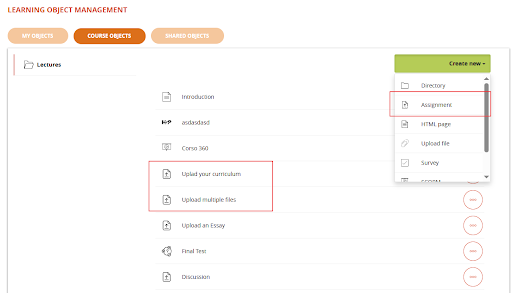
Assignment Options
When creating or editing an Assignment the following options will be prompted
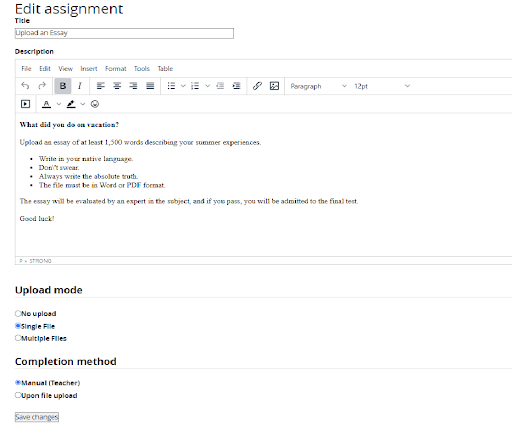
Upload Mode
Define if this activity needs some upload by the user:
- No upload: the activity will be held offline, i.e. during a classroom lesson
- Single File: the student will be asked to upload a single file
- Multiple files: the student will be asked to upload one or more files
Completion method
Define how the assignment will be marked as "completed":
- Manual: the object status will be set to "complete" wen teacher manually enters a score
- Upon file upload: the object status will be set to "complete" automatically when any file has been uploaded by the student
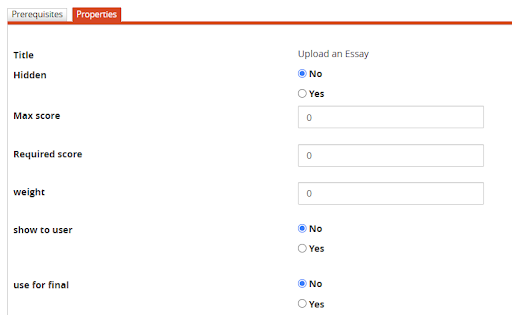
Assignment Score Properties
Score propertis for an assignment can be set from the LO properties page:
User view and upload
When a user accesses an Assignement material, the following elements will be displayed:
- Title and description, as set by the teacher during the LO creation
- File upload area, if the assigment is configured fore single or multiple file upload. If the assignment upload method is set as "No Upload", this block won't be shown
- List of uploaded files, If the assignment is configured for "single upload", when a new file is uploaded it will override the previous one. It won't be possible to upload new files once the LO has been reviewd by a teacher
- Teacher review
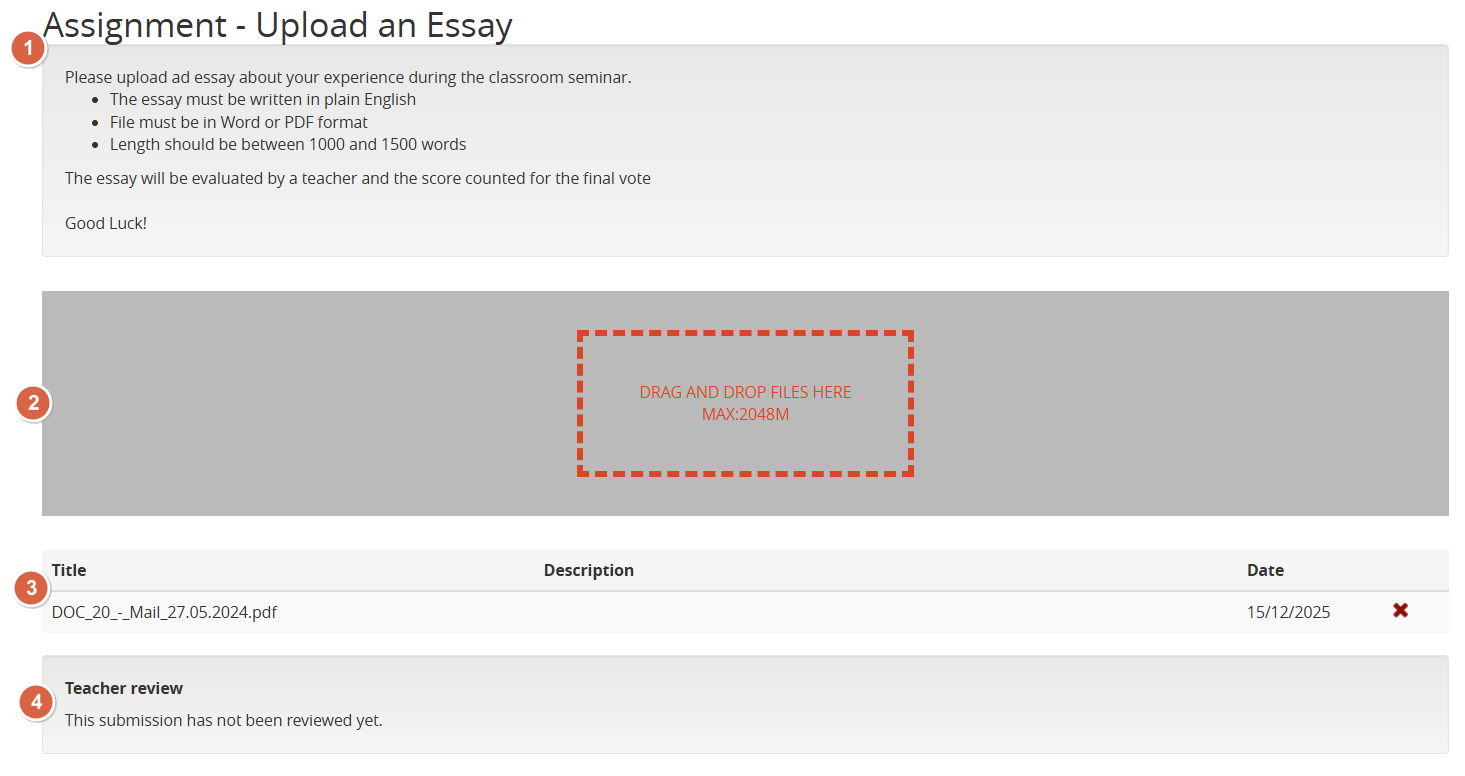
Evaluating an Assignment
Assignments will be listed in the Course Report module:
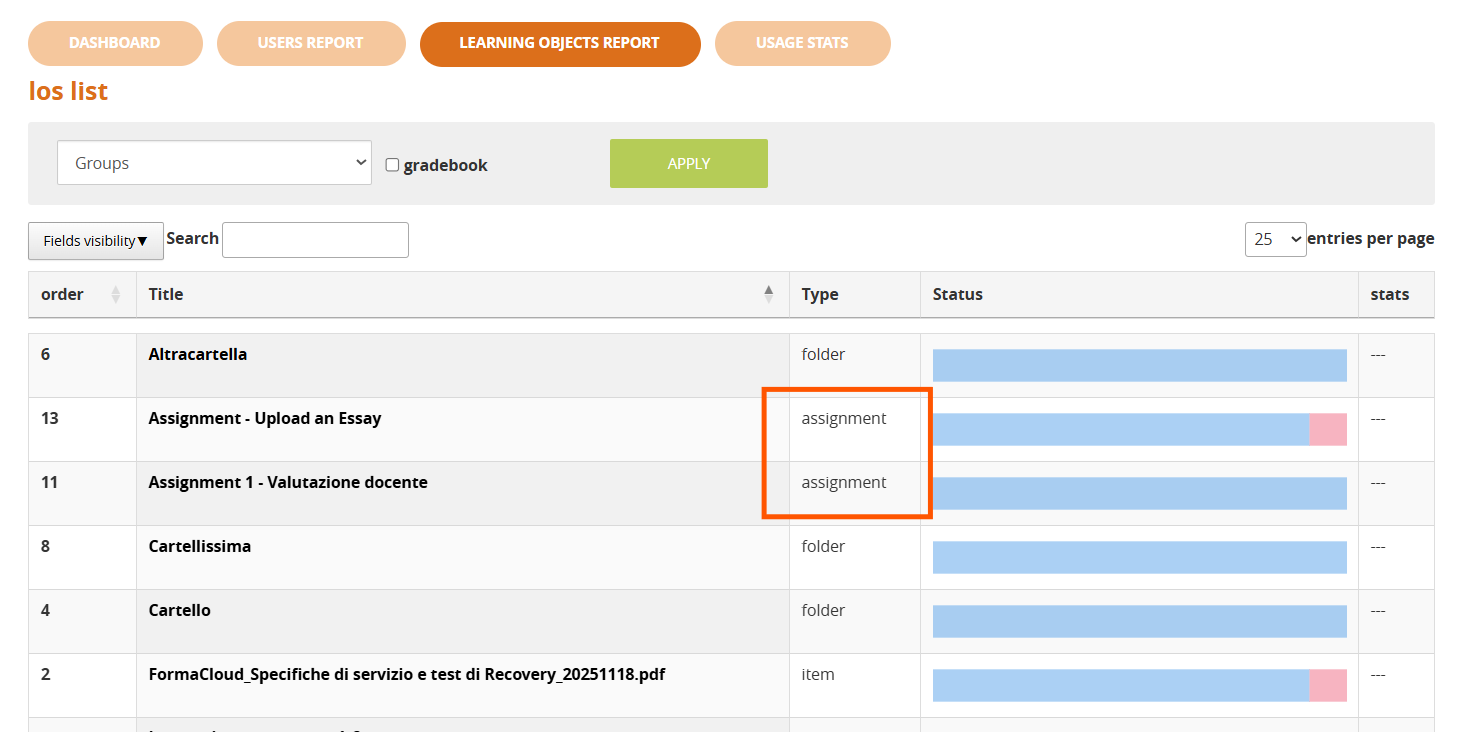
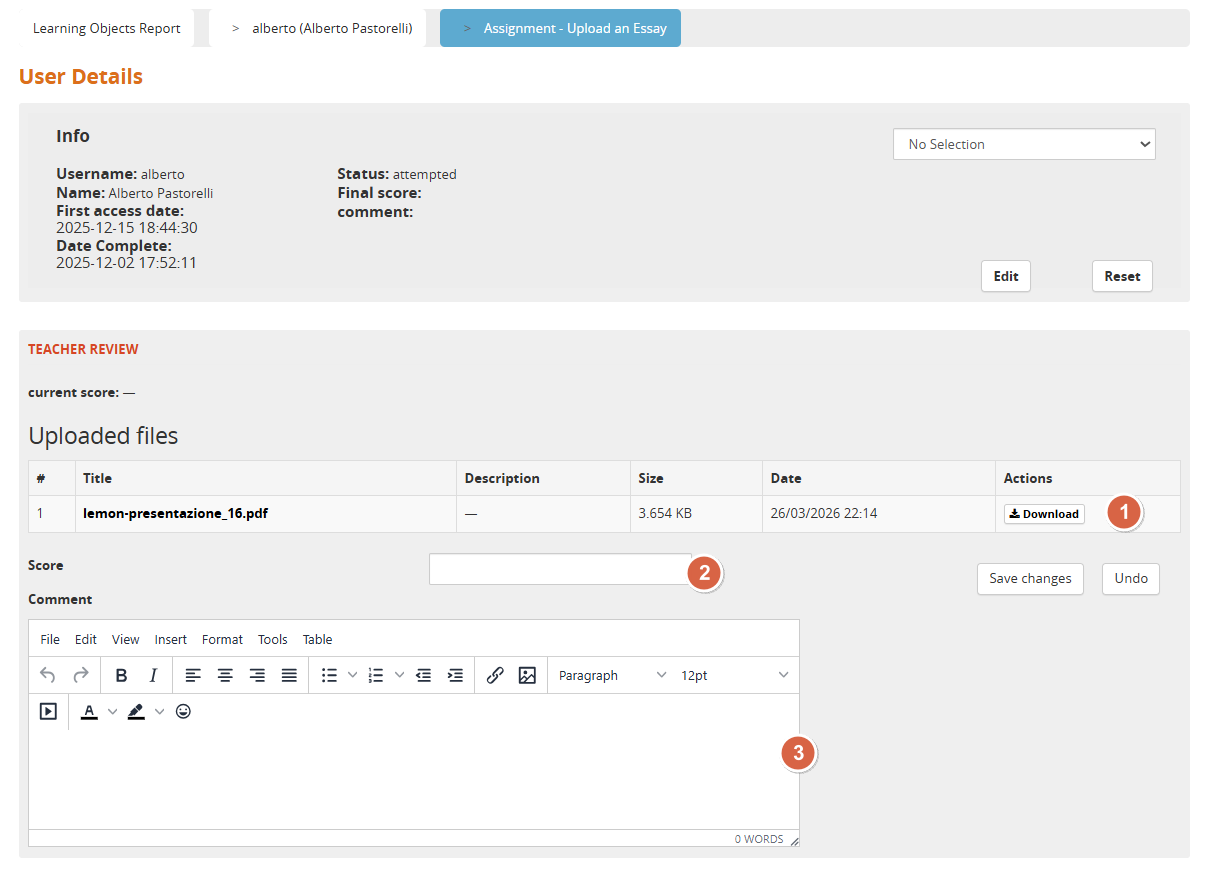
Clicking on the LO Title teachers will then be able to see the list of students and:
- Check the files uploaded by a user
- Assign a score
- Add a comment