
Gradebook
REMOVED: this feature has been deprecated and removed since Forma LMS 4.2, replaced by the new Course Report module
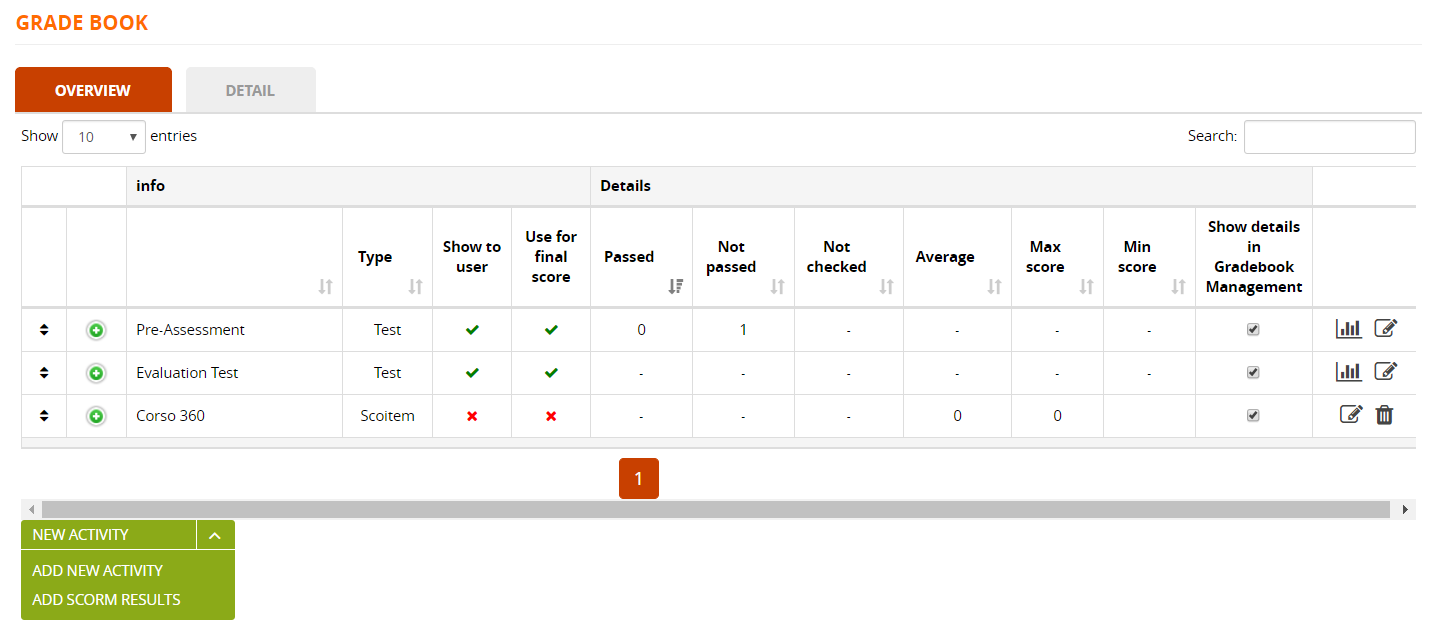
The gradebook is one of the most important and useful course features, used to manage all the evaluation activities in a course:
- Test Learning Objects
- SCORM objects with score
- Classroom activities
Overview
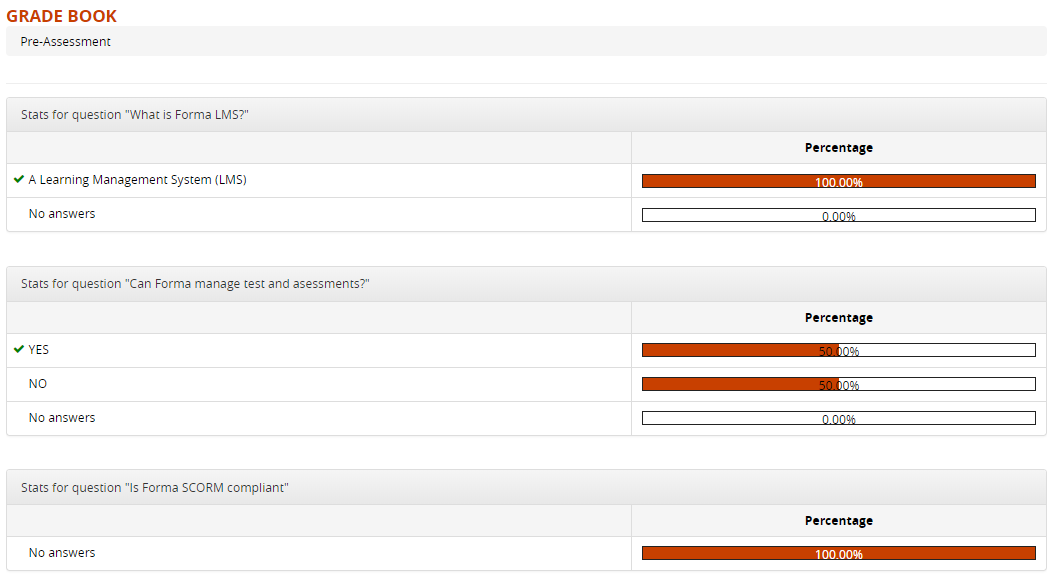
View Answer stats
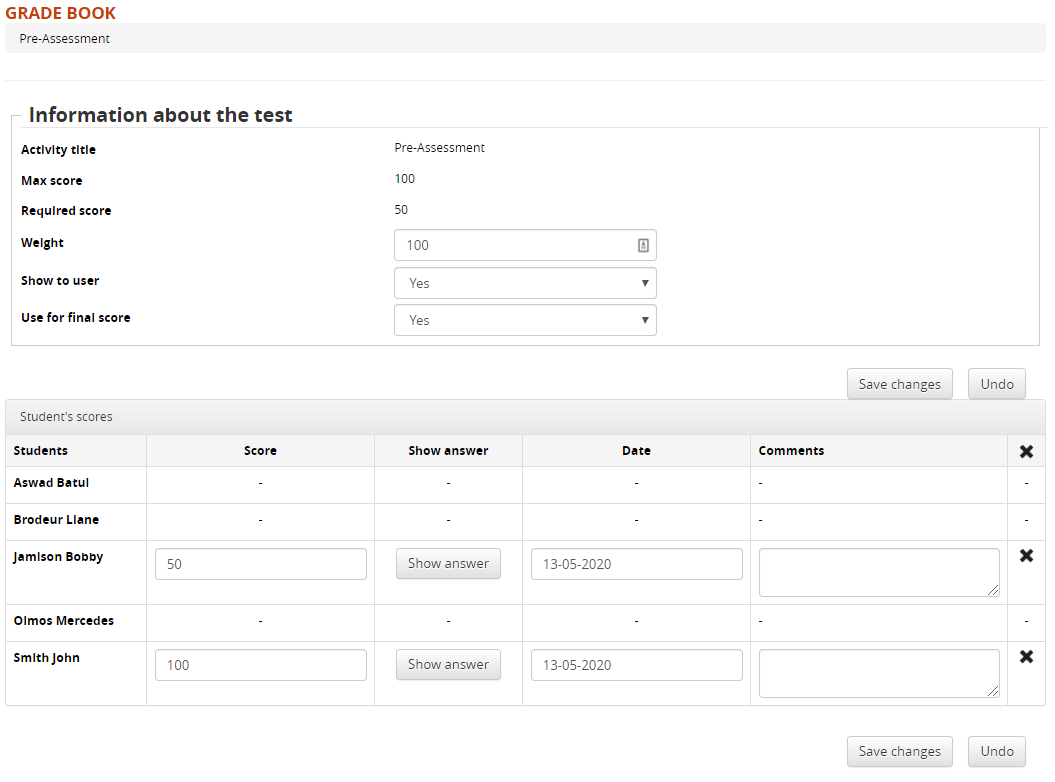
Edit test gradebook options
Use the “Edit” icon for each test to see a list of the scores for all the user. You will also be able to:
Configure:
- Weight of the test score in the final score calculation
- Show or hide the test score in user ratecard
- Use or ignore the test score in the final score calculation
Plus, for each user you can
- View and edit the final score
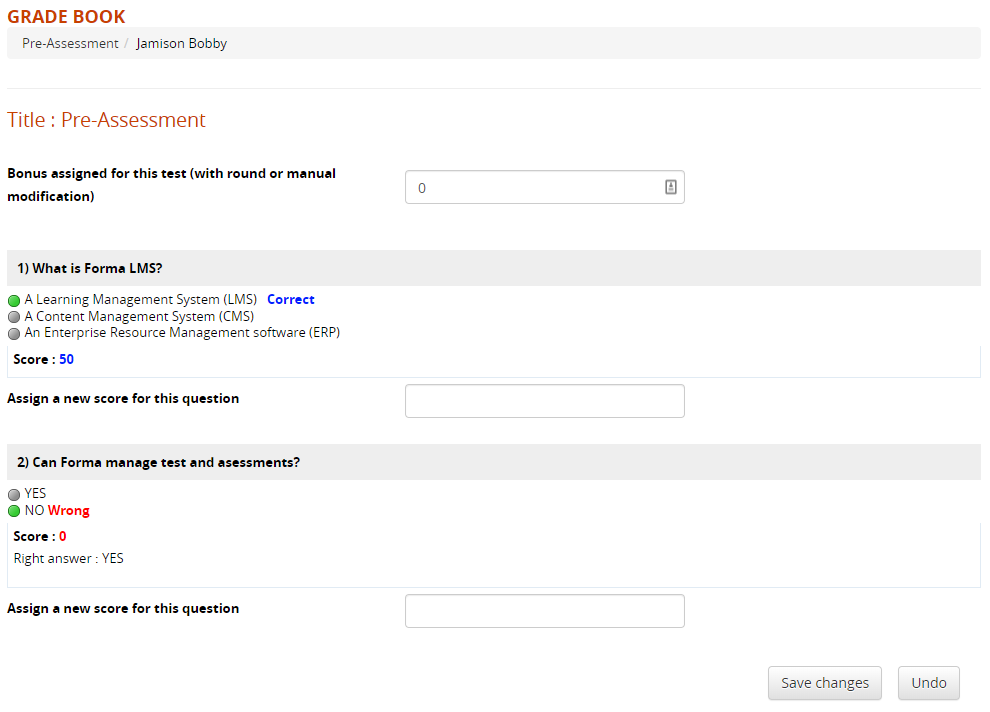
- View the full test execution (see below)
- Edit the execution date
- Add a comment to be displayed on user scorecard
- Cancel last execution, so the user ca take the test again
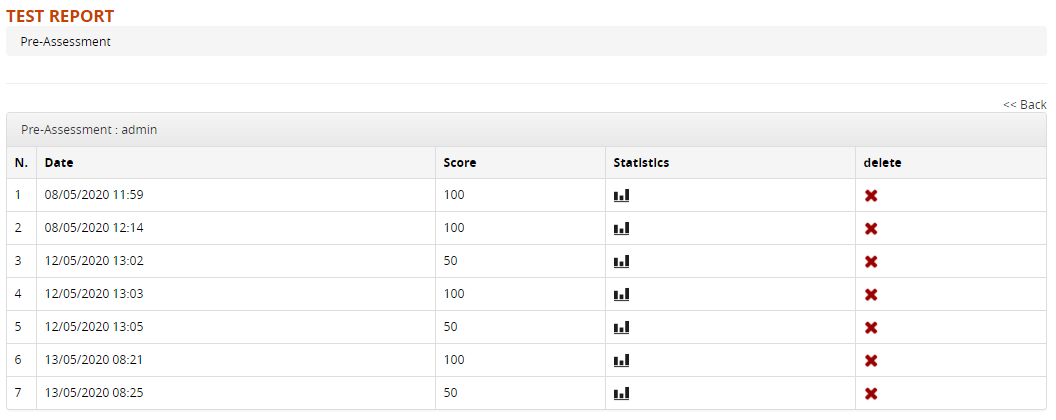
Test execution detail
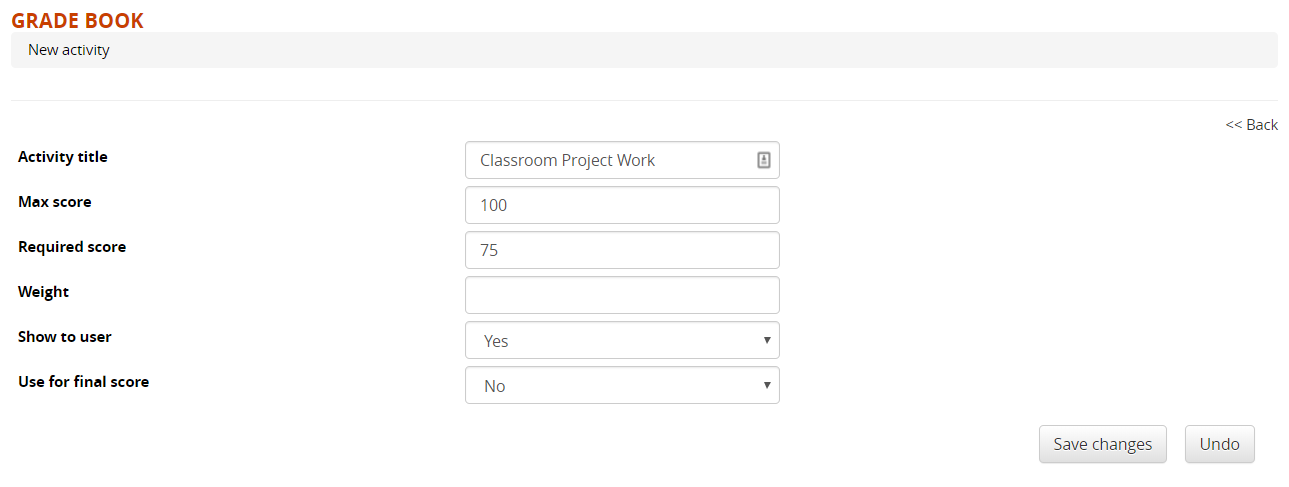
Add a new activity
Here, you can also manually add more scores to be calculated for the final course score:
- Activity: record user evaluation score for external activities, not done directly in the platform
- SCORM Results: is a SCORM object has some test, here you can add it to the gradebook
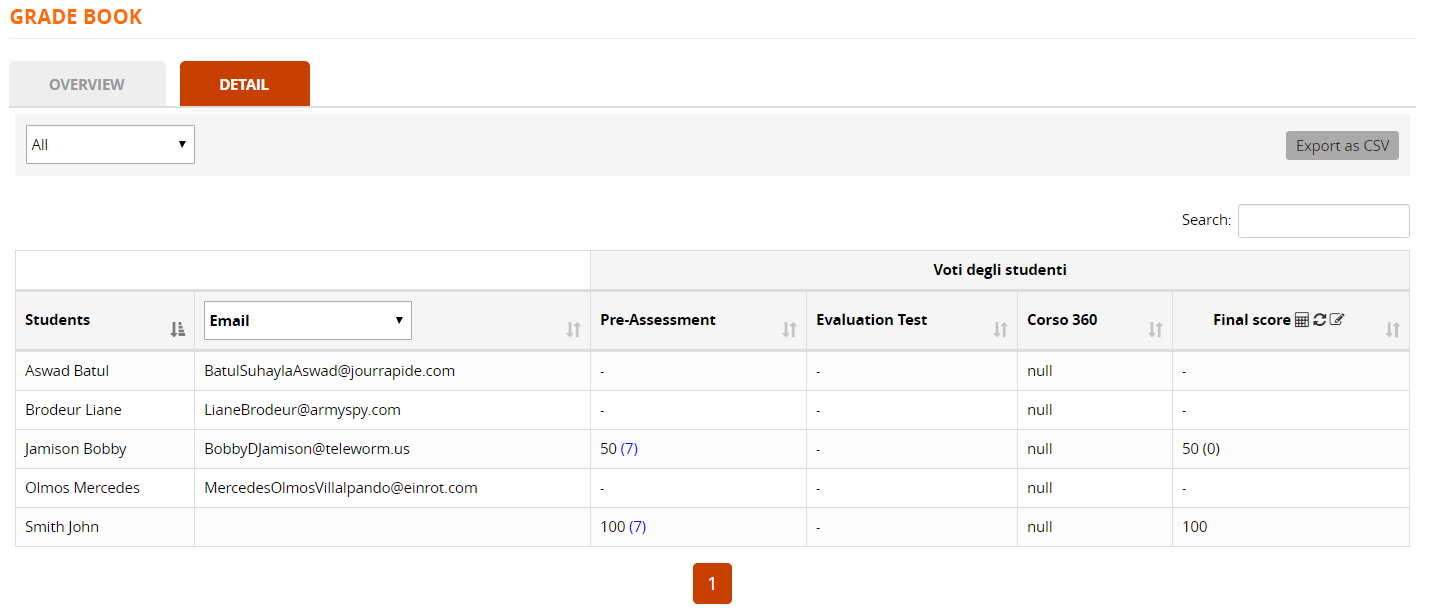
Detail
View History
Edit Final score
Click on the icons on the “Final score” column to:
- Recalculate the final score for all users
- Manually edit the final score for all users