# Time Periods (Course credits)
Forma allows the creation of time periods related to course credits:
*Admin > Settings > E-Learning Configuration > Time periods*
Click add button to insert a new period:
[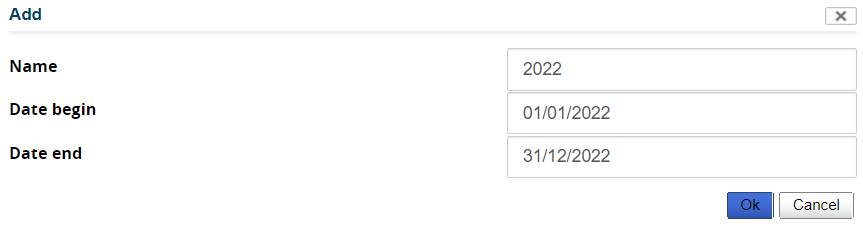](https://docs2.formalms.org/uploads/images/gallery/2024-01/Y35image.png)
The period is shown in the list:
[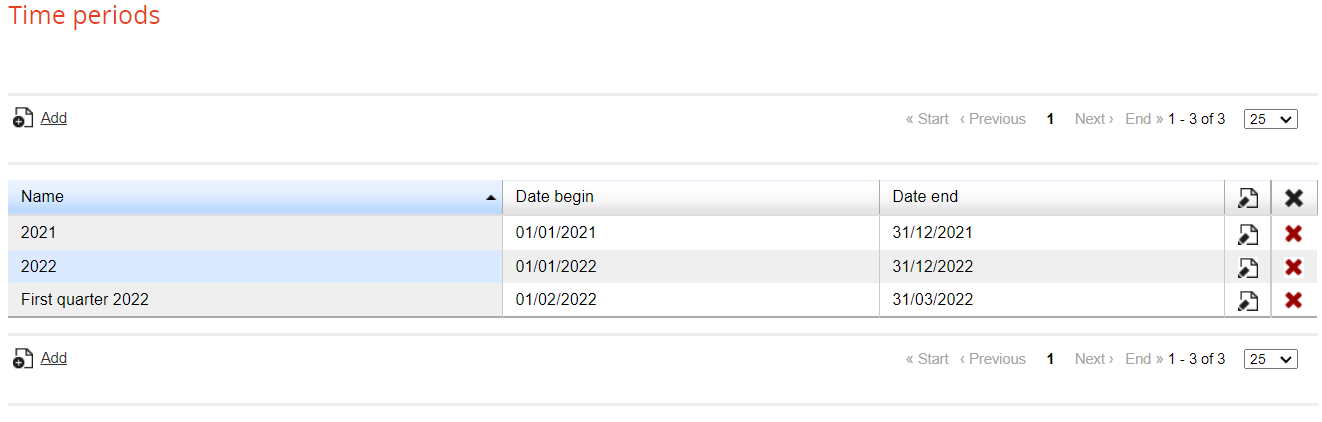](https://docs2.formalms.org/uploads/images/gallery/2024-01/yVEimage.png)
In order to use time periods, enable Credits
*Admin > Settings > E-Learning Configuration > User area in LMS*
Click on 'Credits' and be sure that the tick is green:
[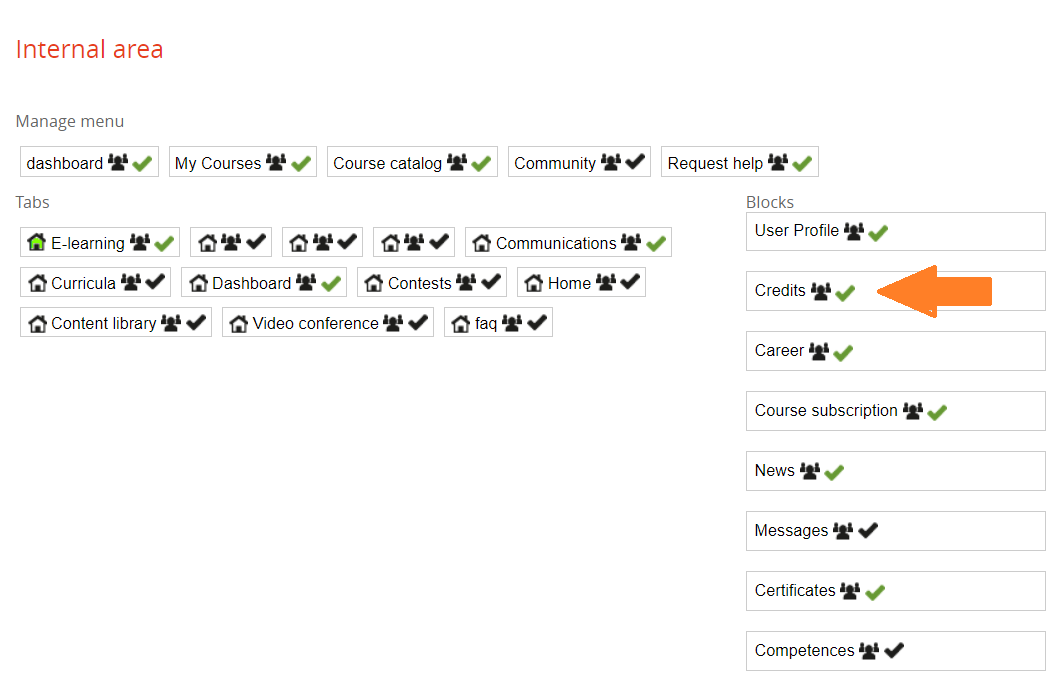](https://docs2.formalms.org/uploads/images/gallery/2024-01/Tk8image.png)
Insert credits in a course:
*Elearnig > Courses > Courses > Edit a course*
In the section 'Details' you can assign the number of credits
[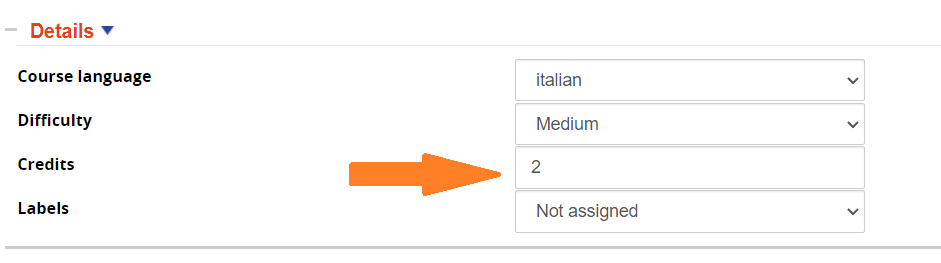](https://docs2.formalms.org/uploads/images/gallery/2024-01/vWfimage.png)
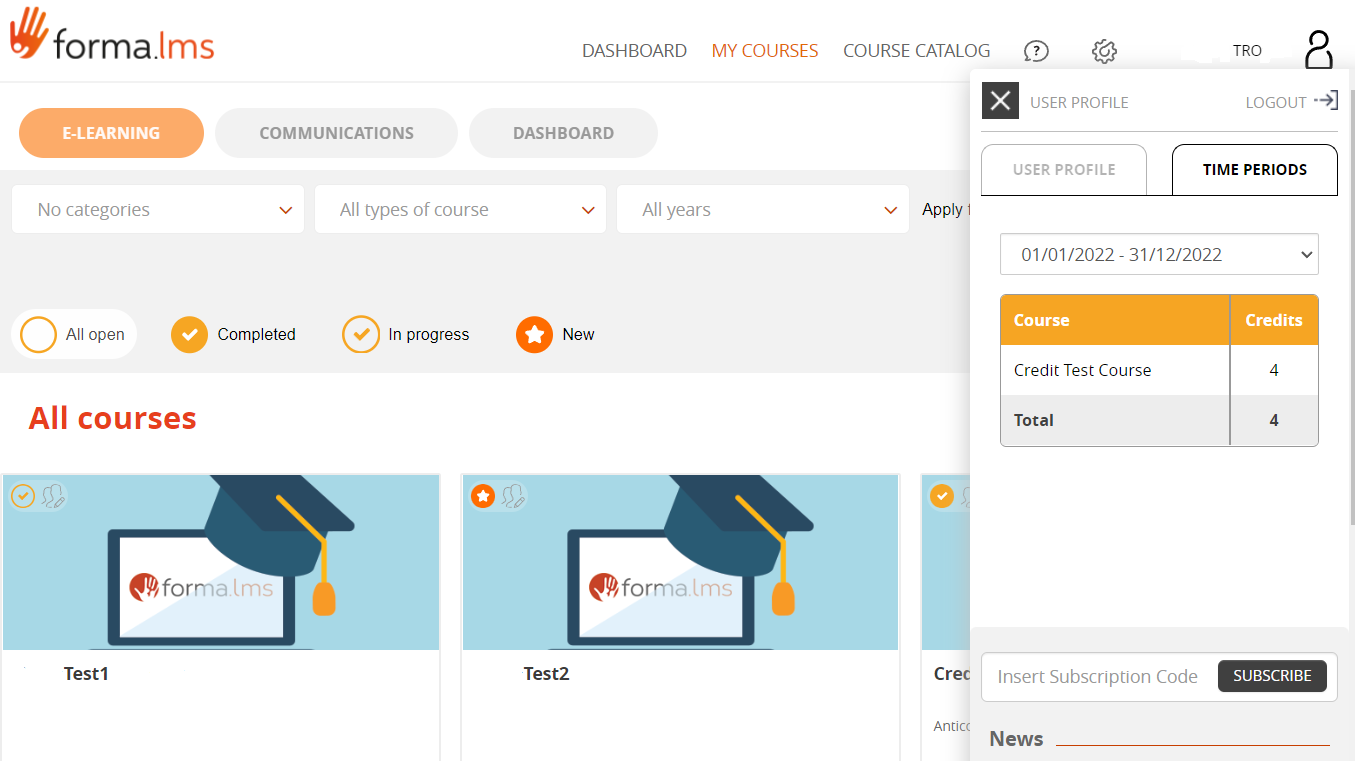
Users can check their credit balance in the log in frame in the tab 'Time Periods'
[](https://docs2.formalms.org/uploads/images/gallery/2024-01/XV2image.png)