Menus are “templates” applied upon course creation, so changes applied here won't affect existing courses. To **apply changes to existing courses** use the [**course management**](https://docs2.formalms.org/books/reference-guide/page/course-management) features
It is possible to edit menu configurations also from within each course, affecting only the course specific menu: this will give you maximum flexibility with menu management and customization.**TIP**: create just the menu template that you most commonly use to differentiate coure types, i.e. you coud have a menu for elearning and another for classroom courses, and only when needed add further customizations directly in the course
## Manage Menus [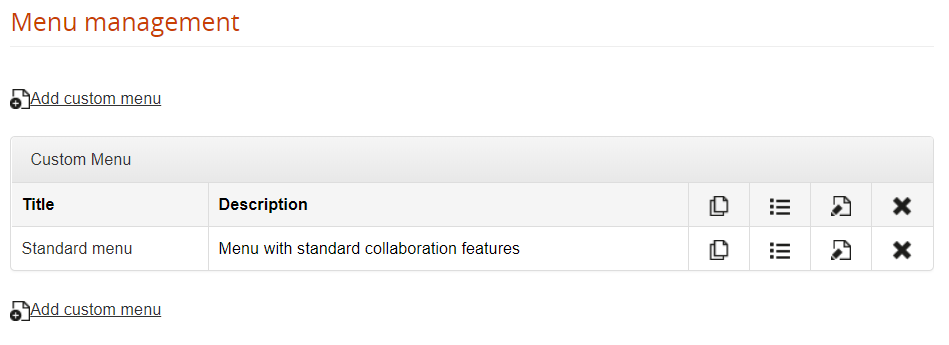](https://docs2.formalms.org/uploads/images/gallery/2024-01/4sEimage.png) ## Manage Areas Menu items are grouped in “areas”, that you can create, order, rename and delete: [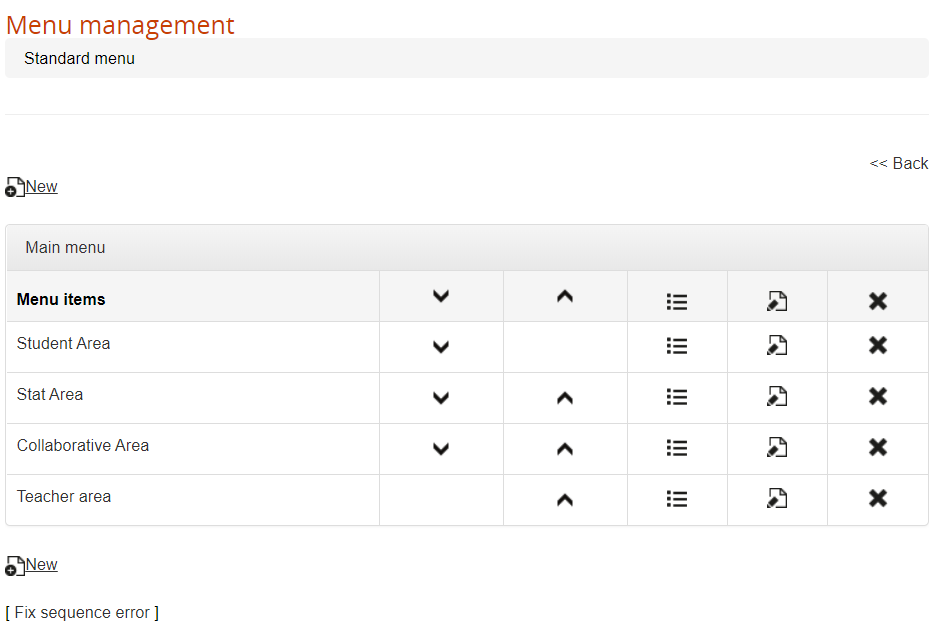](https://docs2.formalms.org/uploads/images/gallery/2024-01/w7Gimage.png) ## Assign Modules Within each area, you can assign or remove modules. At the bottom of the page, you can see the list of available modules to assign to the selected area. When you delete a module from the menu, it will appear again in the available modules list. [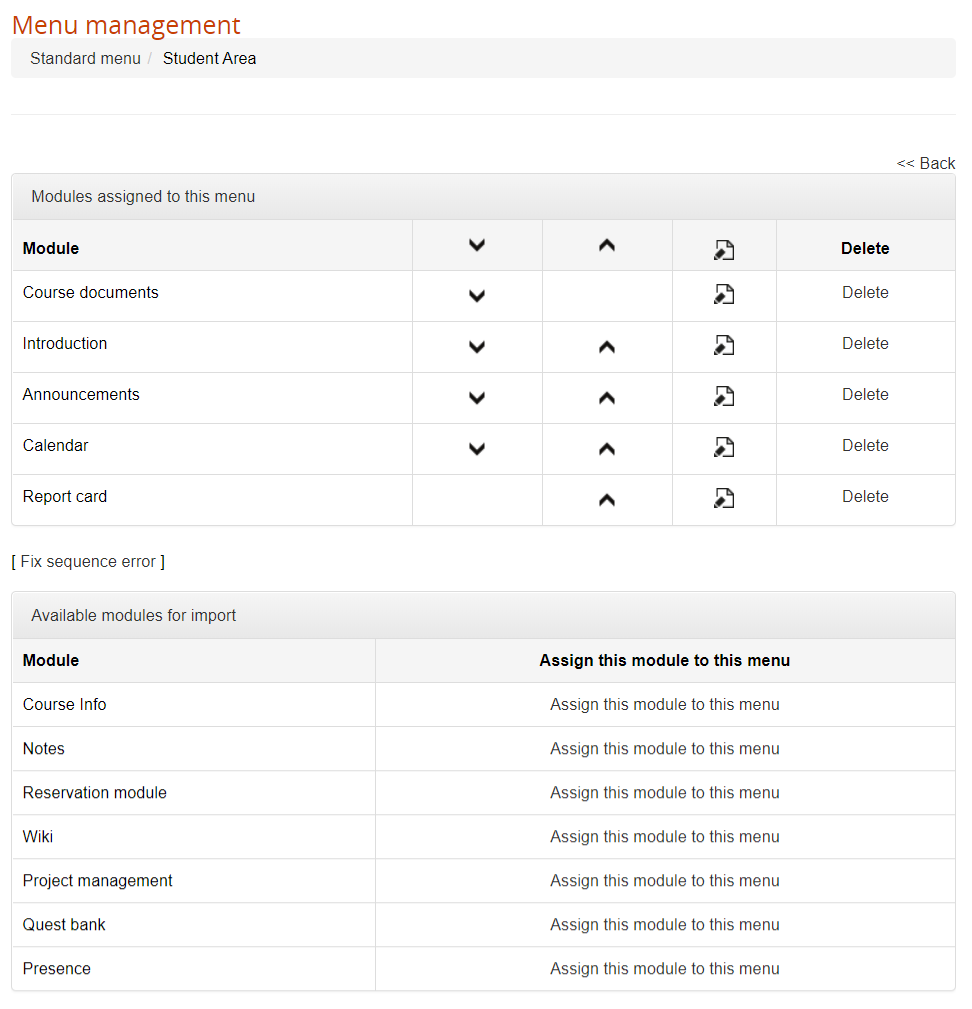](https://docs2.formalms.org/uploads/images/gallery/2024-01/Fizimage.png) ## Set role permissions Click on the edit icon for each module to: 1. Edit the menu item name 2. Assign the available permissions for all the user subscription roles [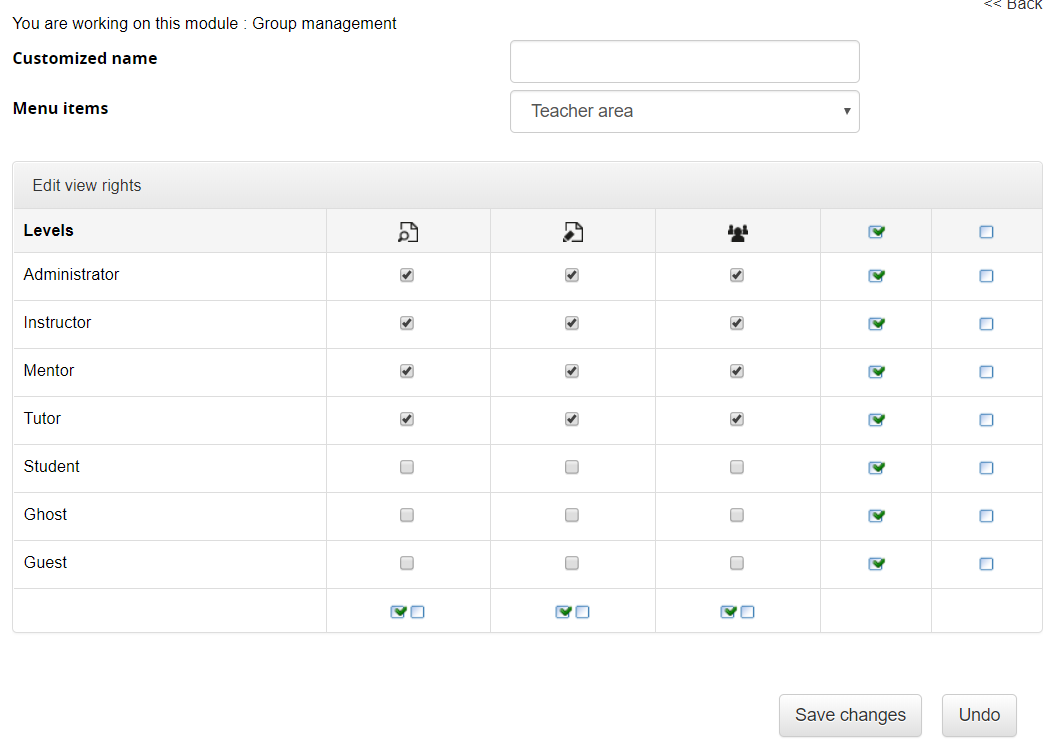](https://docs2.formalms.org/uploads/images/gallery/2024-01/R5zimage.png) ### View Permission for administrators Some modules presenting a list of users have a special “view all” permission checkbox, that applies only for users of level “administrator”: - Unchecked: the administrator will see only his assigned users - Checked: the administrator will see all the subscribed users Superadministrators and standard users will see all users in any case.