Separate forums with same features can be created also within each course, reserved to course users. Check the [Course Forums guide](https://docs.formalms.org/reference-guide-2/course-management-frontend/course-forum.html) for details
## Activate Community Forums You can activate / deactivate the community forums from the “[User Area LMS](https://docs.formalms.org/reference-guide-2/configuration/user-area-lms.html)” settings page: *Admin > Settings > Elearning Configuration > User Area LMS* You will be able to assign visibility over the whole community feature to: - all the platform users - only selected users / nodes The link will be visible in the frontend main menu ## Forums ### Create a Forum Forums can be created by platform administrators [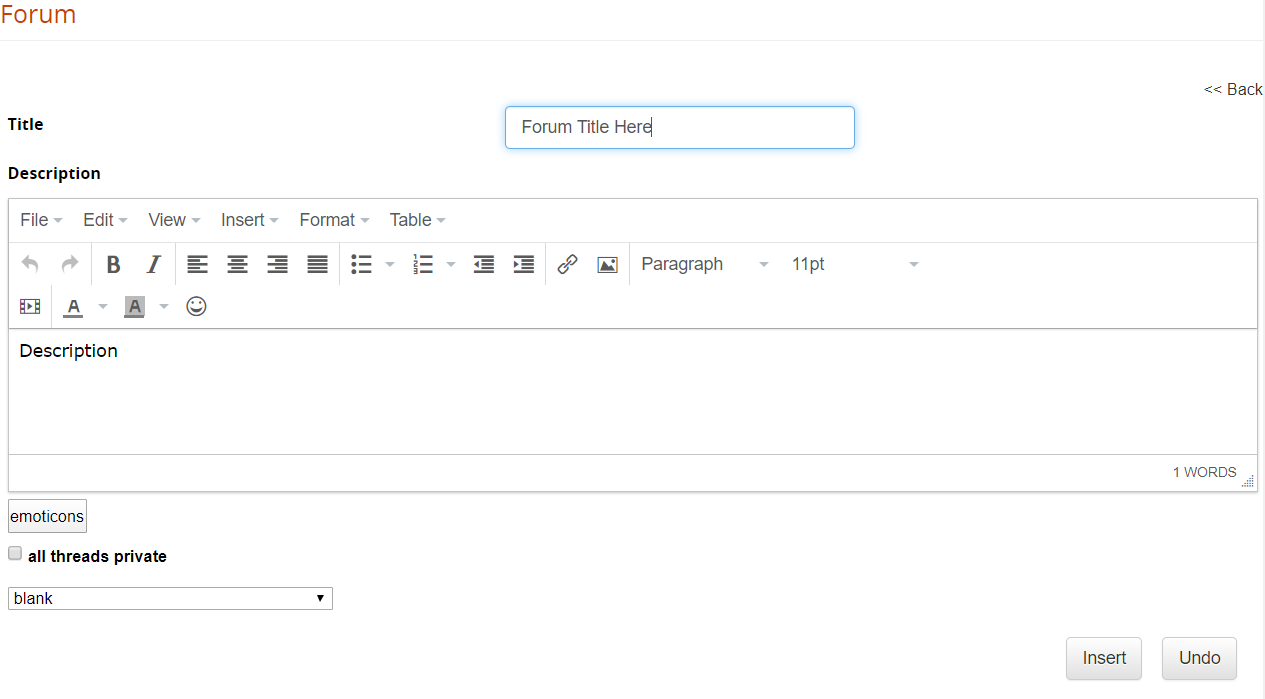](https://docs2.formalms.org/uploads/images/gallery/2024-02/zi4image.png) For each forum, you can set: - Title: the forum name - Description: a description for this discussion board - Emoticon Image: an icon to identify the forum - Private threads: define whether all the discussions in this board should be private by default.**Note** private discussion threads will be only visible to the user that opened the thread and forum moderators
**TIP** use the “private threads” feature to create a private support board for your users
### Manage Forums [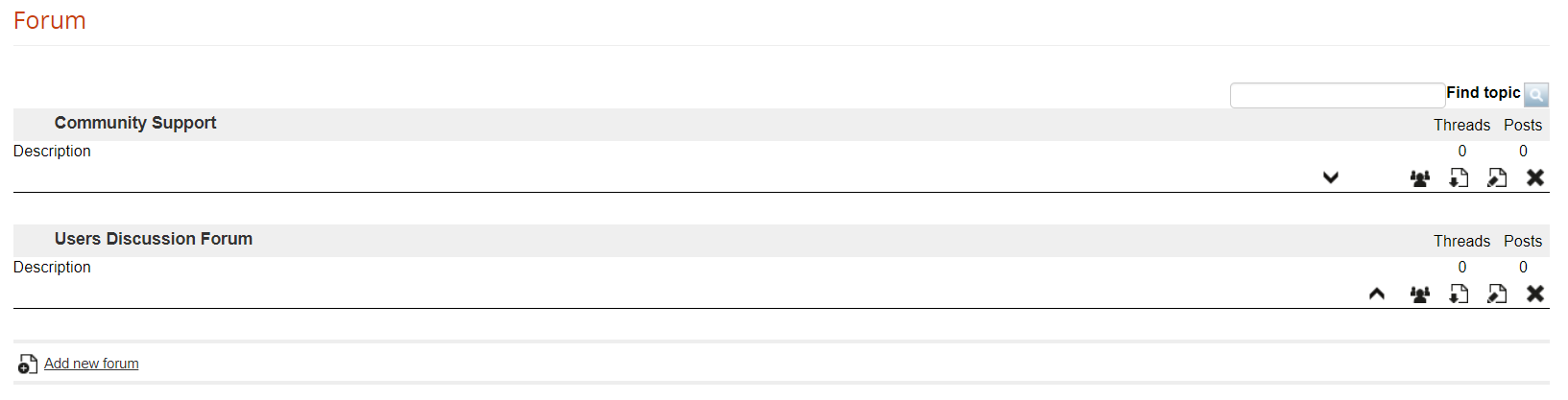](https://docs2.formalms.org/uploads/images/gallery/2024-02/HCwimage.png) Here you can: - Change the forums order - Select users that will be able to see this forum - Download the discussion board in Excel format ## Discussion threads For each forum, you can have unlimited discussion threads and messages ### Add a new thread [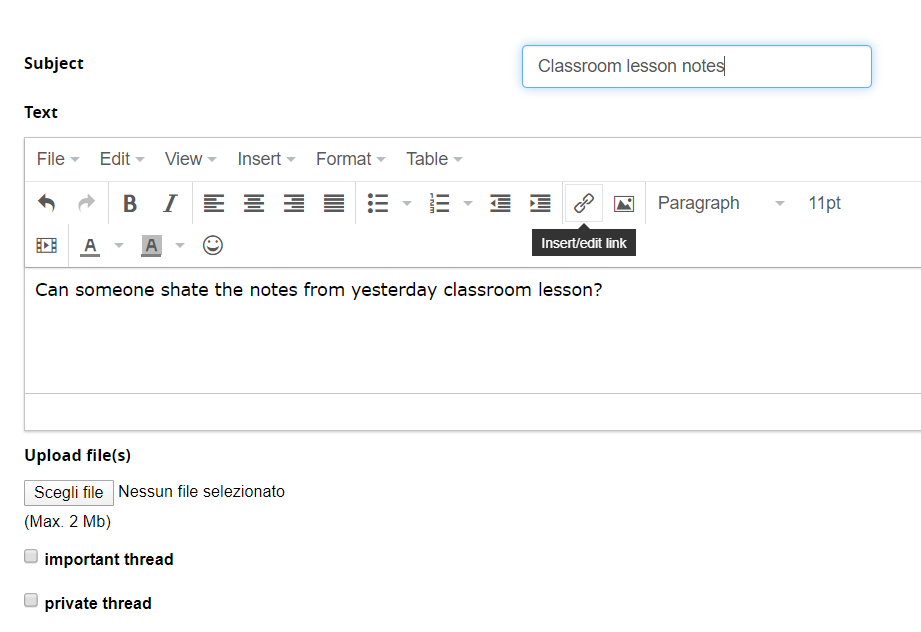](https://docs2.formalms.org/uploads/images/gallery/2024-02/FNWimage.png) ### Manage Threads [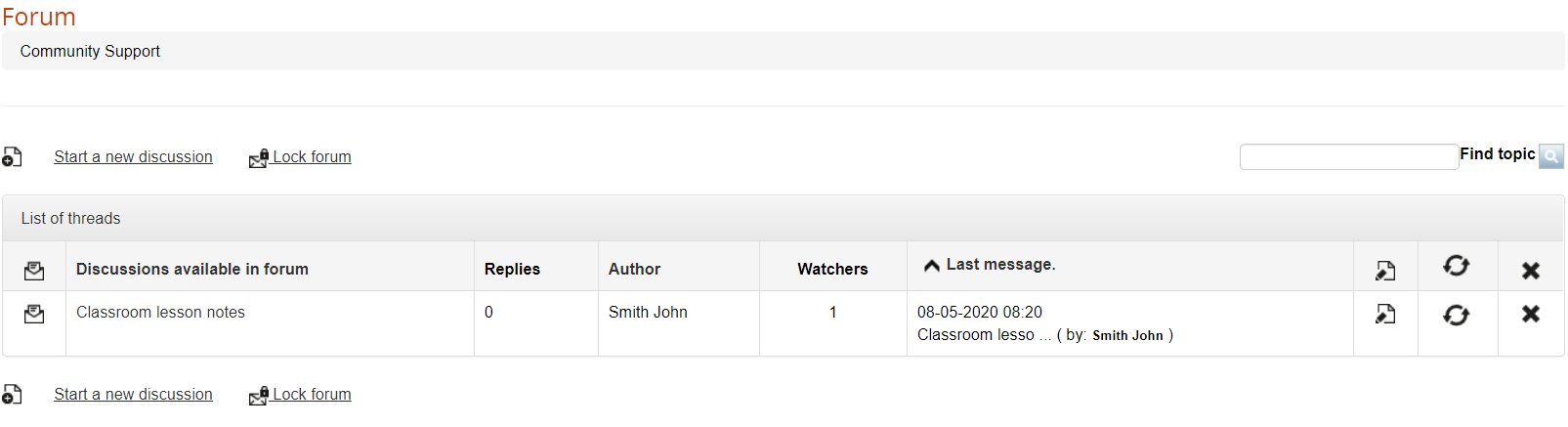](https://docs2.formalms.org/uploads/images/gallery/2024-02/QYkimage.png) ### Manage Messages [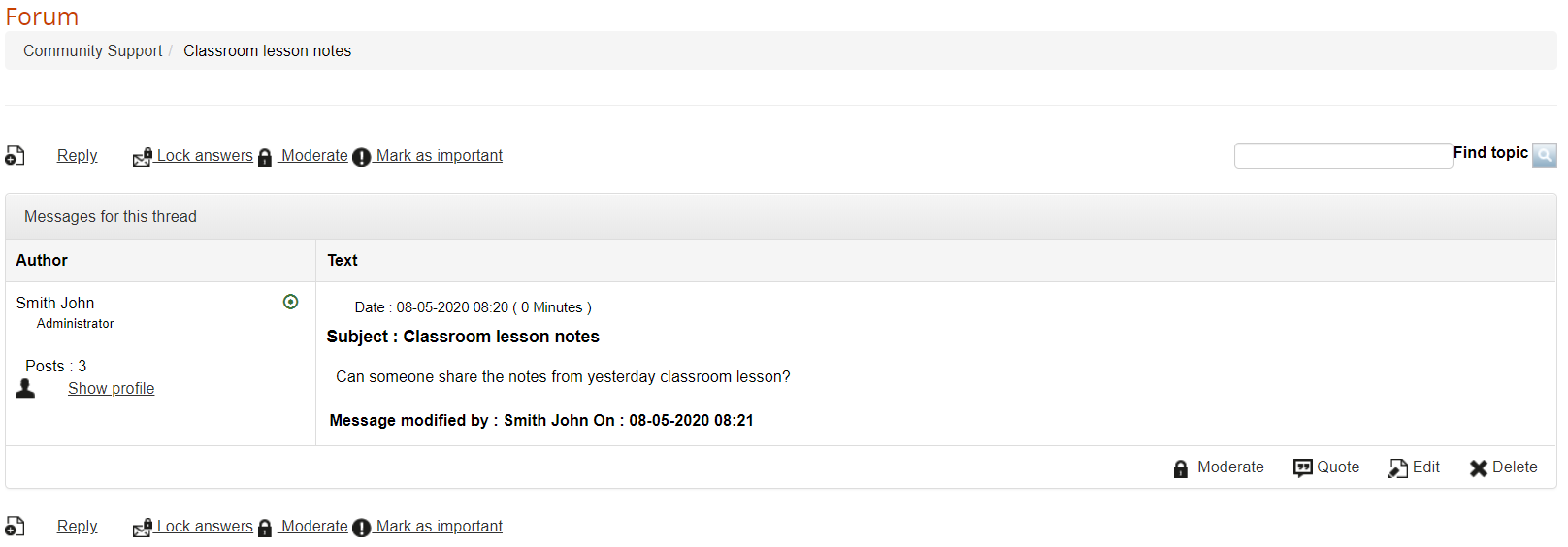](https://docs2.formalms.org/uploads/images/gallery/2024-02/tiHimage.png)