An “administrator” is a user that can access the LMS backend with limited visibility and permissions over features, users and courses.
You can have an unlimited number of administrators. Three basic steps to set up an administrator: 1. Set some user with the level “administrator” 2. Create or edit an administrator profile, with assignment of the respective permissions to each profile 3. Assign to the user the desired administrator profile 4. Associate the users and course to be managed by each administrator ## Create an administrator Any existing user can be configured as an administrator by setting this level in his personal user profile, from the global [user management](https://docs2.formalms.org/books/reference-guide/page/users-and-organization-chart) area. ## Administrator Profile From this page you can create and manage Administrator ProfilesA Profile is a settings template that can be assigned to multiple users. Changes to a profile will affect all the users assigned to that profile
[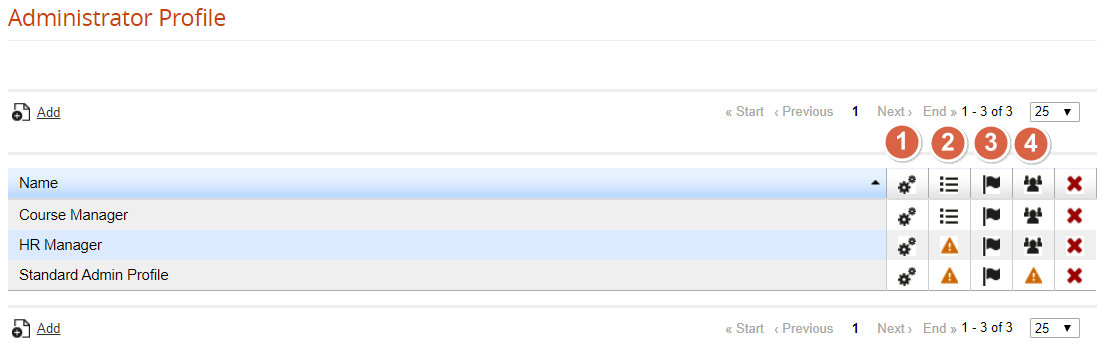](https://docs2.formalms.org/uploads/images/gallery/2024-02/hVDimage.png) ### Special Settings Click on the “Special Settings” icon to set some global configurations for this admin profile: [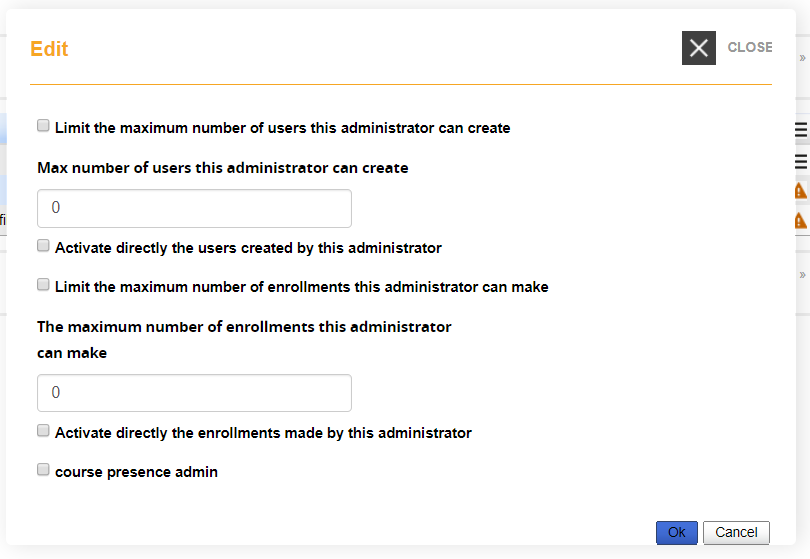](https://docs2.formalms.org/uploads/images/gallery/2024-02/SUEimage.png) ### Edit Settings From this page, you will be able to define the permissions on most of the backed features for the administrators assigned to this profile: [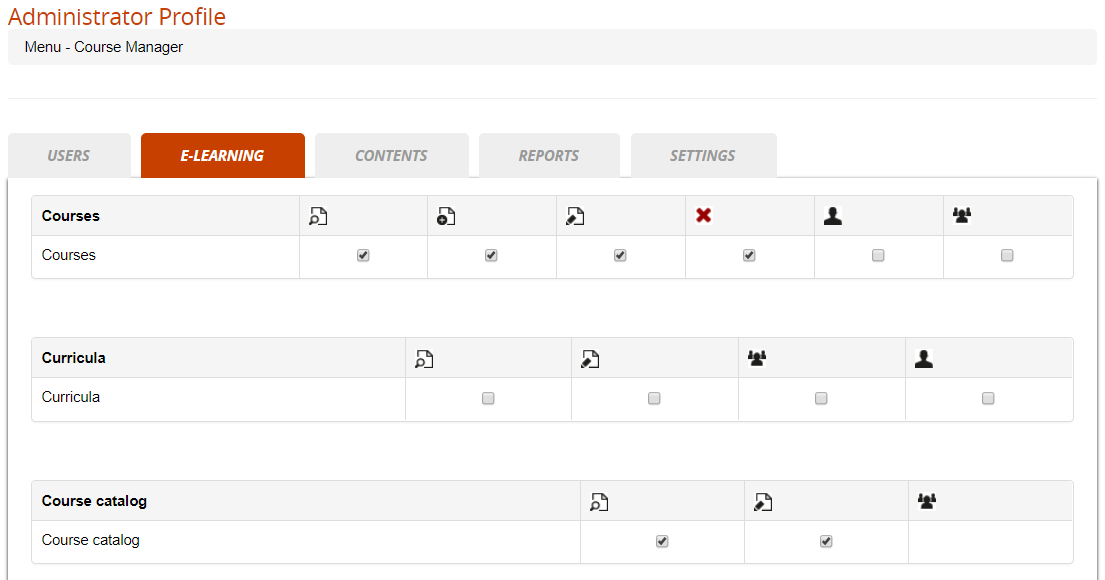](https://docs2.formalms.org/uploads/images/gallery/2024-02/8uCimage.png) ### Language Settings Give this user edit permissions on some specific languages in the [language management](https://docs2.formalms.org/books/reference-guide/page/language-management) area ### Manage Subscriptions See a list of the users assigned to this profile ## Administrator Management [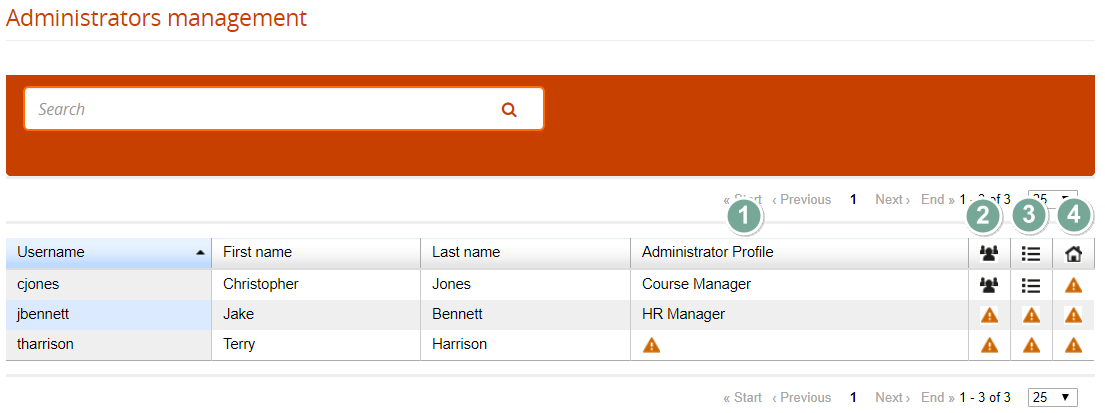](https://docs2.formalms.org/uploads/images/gallery/2024-02/iiBimage.png) ### Assign Profile Click to assign a profile to this administrator ### Assign Users Select which users this administrator will be able to view and managed, based on his profile settings. It's possible to assign: - A list of single selected users - One or more org-chart nodes - All the users with some selected company role - Users by group ### Assign Courses Select which courses this administrator will be able to view and managed, based on his profile settings. There are three assignment options: - All courses - Some selected courses - All the courses in a selected catalog ### Assign Locations Select if this administrator can manage some location configurations